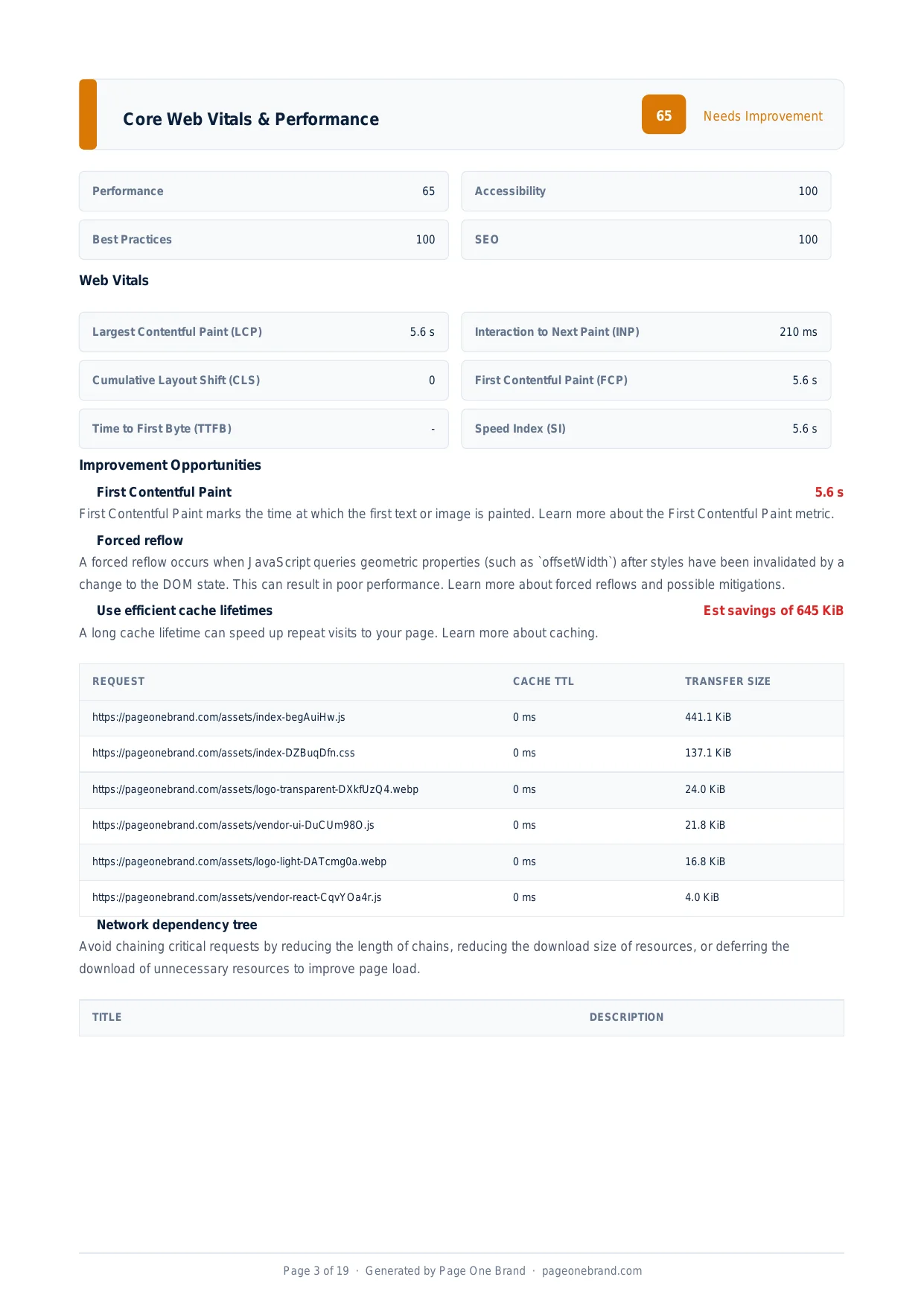
Core Web Vitals & Performance
How to Reduce Unused JavaScript and Why It Slows Down Every Page Load
By Robert Belkin, Founder & Lead Strategist
Published · Reviewed by Robert Belkin · 7 min read
Every byte of JavaScript you ship to the browser has a cost, even if it is never executed. The browser must download it, parse it, and compile it to bytecode before it can determine that a given function will not be called on this page. Unused JavaScript is pure overhead — and on mobile devices with limited CPU, it is one of the most consistent causes of slow performance scores, high TTI, and poor user experience.
Why Unused JavaScript Is So Common
Modern JavaScript applications are built from libraries, frameworks, and component trees. Bundlers collect all of this code and combine it for delivery. The problem is that application code often imports entire libraries when it only uses a small fraction of them.
The classic example: import _ from 'lodash' loads the entire 70 KiB lodash library even if you only call _.cloneDeep. The tree-shaking alternative — import cloneDeep from 'lodash/cloneDeep' — loads only the one function you need. Third-party embeds (YouTube players, social widgets, analytics platforms) are another major source — they load hundreds of kilobytes of JavaScript on every page, whether or not the user ever interacts with them.
The Reduce Unused JavaScript opportunity shows estimated transfer size savings for specific files — sorted by impact so you can prioritise the highest-leverage changes.
How Lighthouse Detects Unused JavaScript
Lighthouse uses the Chrome Coverage API to record which bytes of each JavaScript file are actually executed during page load. It then calculates the percentage of each file that was unused and reports files where the potential savings exceed a threshold.
The Coverage API records execution at byte granularity — if a function is never called, the bytes defining that function are flagged as unused. The result is a precise, file-by-file breakdown of wasted JavaScript with estimated savings in kilobytes.
The Three Fixes: Tree Shaking, Code Splitting, and Lazy Loading
Tree shaking eliminates dead code at build time. Modern bundlers can statically analyse ES module imports and remove functions that are imported but never called. For tree shaking to work, your dependencies must use ES module syntax. Check each library's package.json for a "module" or "exports" field — if it is there, the library supports ES modules and is treeshakable.
Code splitting defers loading of code until it is needed. Dynamic imports — const module = await import('./heavyModule') — pull code in on demand. Vite, Webpack, and Rollup all support this natively. For a React application with ten routes, each bundle becomes roughly one-tenth of the original size for initial load.
Lazy loading defers non-critical components and features. React's React.lazy() with Suspense loads components only when they are rendered. A modal, a chart, a data table, a rich text editor — all of these can be lazy-loaded so they do not appear in the initial bundle at all.
 Reducing unused JavaScript improves Performance score, TTI, and Max Potential FID simultaneously — it is one of the highest-leverage performance changes available.
Analysing Your Bundle
Before making changes, understand your current bundle composition. Install vite-bundle-visualizer (for Vite projects) or webpack-bundle-analyzer (for Webpack). Run a production build and open the visualisation — you will see a treemap of every module in your bundle, sized by bytes.
Common findings: a full icon library imported as a single barrel export when only five icons are used; a full date library included when native Intl.DateTimeFormat would suffice; development-only utilities accidentally included in production builds; and duplicate versions of the same library imported by different dependencies.
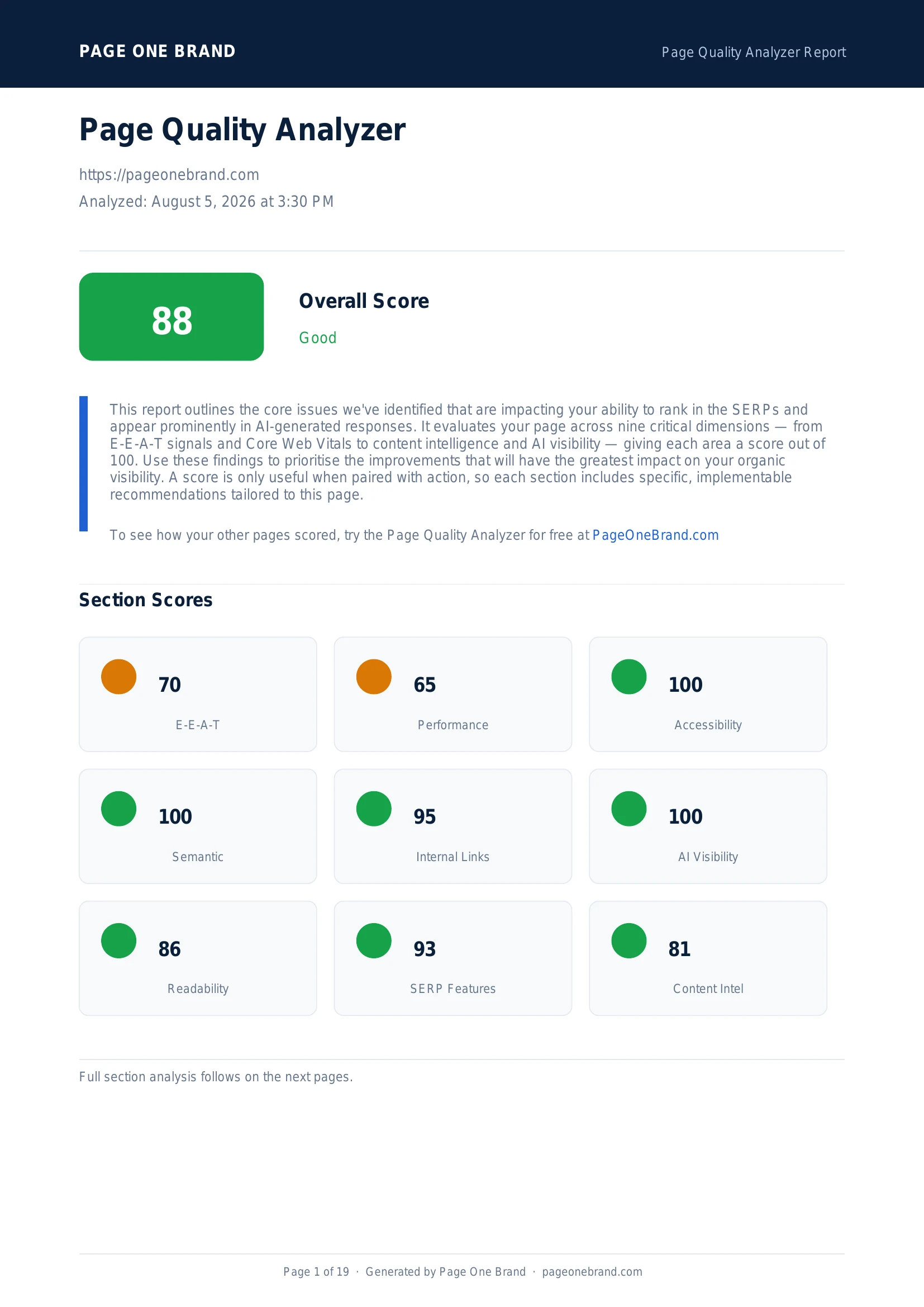
Each of these is a deterministic fix with measurable savings. A page that ships 632 KiB of JavaScript with 70% unused is often reducible to under 200 KiB with route splitting and proper imports alone — translating directly into lower TTI, lower Max Potential FID, and a significantly better Performance score in the Page Quality Analyzer.
Frequently Asked Questions About Unused JavaScript
Why does unused JavaScript slow down pages even if it is never executed?
Every byte of JavaScript shipped to the browser must be downloaded, parsed, and compiled to bytecode before the browser determines that a given function will never be called on this page. The download consumes bandwidth that could go towards the LCP image or critical CSS. The parse and compile phases consume main-thread time that delays Time to Interactive. This overhead is real even if none of the code runs. On mobile devices with limited CPU, parsing and compiling a 600 KiB bundle can take 3 to 4 seconds of main-thread work — almost entirely wasted if most of that code is never executed.
What is tree shaking and how does it reduce JavaScript bundle size?
Tree shaking is a build-time technique where bundlers statically analyse ES module imports and remove functions that are imported but never called. The classic example is importing an entire utility library when only one function is needed — tree shaking removes the functions that are never referenced. For tree shaking to work, dependencies must use ES module syntax, not CommonJS. Check each library's package.json for a module or exports field — if it is there, the library supports ES modules and is treeshakable. Switching from barrel imports like import _ from 'lodash' to named function imports like import cloneDeep from 'lodash/cloneDeep' is the manual equivalent for libraries that do not fully support tree shaking.
How does Lighthouse detect unused JavaScript?
Lighthouse uses the Chrome Coverage API, which records at byte granularity which parts of each JavaScript file are actually executed during page load. If a function is never called, the bytes defining that function are flagged as unused. Lighthouse then calculates the percentage of each file that was not executed and reports files where potential savings exceed its threshold. The result is a precise, file-by-file breakdown showing which files have the most waste and the estimated savings in kilobytes — letting you prioritise the changes with the highest impact.
When should I use code splitting versus lazy loading?
Code splitting and lazy loading address different aspects of the same problem. Code splitting divides a large bundle into smaller chunks that are loaded only when needed — most commonly at the route level, so each page only loads the JavaScript for that route. Lazy loading defers specific components or features until they are actually rendered — a modal, a chart, a rich text editor that is only shown conditionally. In practice, apply both: route-level splitting for the initial load reduction, and component-level lazy loading for features that are not shown immediately on page load. Together they can reduce initial JavaScript payload from several hundred kilobytes to tens of kilobytes.
Editorial implementation brief · Performance
Separate unused JavaScript from JavaScript that is merely delayed
A bundle report should answer whether code is unused, duplicated, or needed later. Defer work that is needed after interaction; remove or split work that is never needed on the route.
What to check, in order
- Capture a production build analysis with source maps and identify the largest modules by route.
- Remove dead dependencies and duplicate libraries before changing loading order.
- Split route-specific features with dynamic imports and load interaction-only widgets on demand.
- Audit third-party tags separately; each should have an owner, purpose, and measured cost.
- Check network, parse, compile, and execute time after the change, not only compressed transfer size.
Copy-paste example
const editorButton = document.querySelector("#open-editor");
editorButton?.addEventListener("click", async () => {
  const { openEditor } = await import("./editor.js");
  openEditor();
});
Evidence from our workflow
We keep the bundle visualisation, route, and production build identifier with the recommendation. That distinguishes a smaller download from a real reduction in parse/execute work on the device that matters.
Primary sources
Editorial note: This guide was written by Robert Belkin, Founder & Lead Strategist at Page One Brand, and technically reviewed by Robert Belkin on August 25, 2026. See the author profile, scoring methodology, and contact page for supporting business and editorial information.